










Do you like angular-cli-skeleton? Please, add a 'star' to support this library
A simple ready to use skeleton project with angular-cli (optionally also angular-universal), Angular 9, Bootstrap 4, ng-bootstrap, ngrx-store and so on.
This project my previous older skeleton project called angular-webpack-skeleton.
If you like it, please add a star. It will be really appreciated.
- Typescript >= 3.7
- Angular 9
- IVY enabled by default for Angular >= 9
- Ahead of Time (AOT) enabled by default for Angular >= 5
- Lazy loading
- HttpClient of Angular >= 4.3
- RxJS 6 with pipeable operators
- i18n support to add multiple languages (in this example you can find a small example with english and italian)
- Bootstrap 4 with a custom theme (check
./src/_variables.scss), ng-bootstrap - FontAwesome 5
- Web App Manifest support to add it as a standalone app on mobile devices (see
manifest.webmanifest) - Service Workers to create an offline application (see
./src/ngsw-config.json) - socket.io (still work in progress and TEMPORARY DISABLED. Check this issue
- Reactive storage based on Redux
- @ngrx/store >= 9 with the new 'create...' apis
- @ngrx/store-devtools >= 9
- angular-cli
- different profiles: 'development', 'development with HMR', 'production' and 'production with SSR' (TEMPORARY DISABLED)
- Hot Module Replacement (HMR)
- Tree shaking
- SASS support
- build-optimizer for production builds
- Bundle Analyzer
- Proxying support (optional to proxy your rest services with webpack-dev-server)
- Server Side Rendering with angular-universal (TEMPORARY DISABLED - remember to enable SSR on CIs)
- AppShell (still work in progress and TEMPORARY DISABLED. Check this issue
- Testing
- Unit testing with Karma and Jasmine
- Custom advanced configuration to specify different browsers on CIs (check 'getBrowsers()' in
./karma.conf.js) - Multiple launcher for browsers (Chrome and ChromeHeadless). See
karma.conf.js - Chrome Headless support to run unit tests (better than PhantomJS)
- Multiple coverage reporters:
json,html,lcovonly,mochaand also in your console
- Custom advanced configuration to specify different browsers on CIs (check 'getBrowsers()' in
- End to end (E2E) testing with Protractor and WebDriver JS
- Code coverage with IstanbulJs
- Unit testing with Karma and Jasmine
- Code analysis and quality
- Documentation
- Docker
- Docker with the production build (no ssr at the moment) and ngnix (TEMPORARY DISABLED)
- See all my public repos here Docker Hub
- Continous Integration
- Multiple server-side implementations with NodeJS
- NodeJS + Express in Javascript (see
./servers/node-express-js) - NodeJS + Express in Typescript (see
./servers/node-express-ts) - NodeJS + Koa in Javascript (see
./servers/node-koa-js)
- NodeJS + Express in Javascript (see
- and many more...
- ??/11/2019 - COMING SOON!!! - 1.0.0 - Check HERE
- 04/03/2018 - 1.0.0-beta.2 - Check HERE
- 01/06/2018 - 1.0.0-beta.1 - Check HERE
Full changelog HERE
This reduced structure is based on Angular style-guide and on my personal experience. For the full file structure check HERE.
angular-cli-skeleton/
 ├─.circleci/                     * circle ci 2 config folder (is a CI service  free for open source projects)
 ├─e2e/                           * end-to-end tests with Protractor
 │ ├─src                          * end-to-end test files
 │ │ ├─app.e2e-spec.ts              * e2e test for the main page
 │ │ └─app.po.ts                    * e2e page oject for home page
 │ ├─protractor.config.js         * protractor config file for e2e testing
 │ ├─protractor-ci.config.js      * protractor config file for e2e testing in  Continous Integration
 │ └─tsconfig.ts                  * config file for typescript when running  e2e tests
 │
 ├─servers/                       * server-side implementations to manage  authentication
 │ ├─node-express-js              * NodeJS with ExpressJS Javascript  implementation
 │ ├─node-express-js              * NodeJS with ExpressJS Typescript  implementation
 │ └─node-koa-js                  * NodeJS with KoaJS Javascript implementation
 │
 ├─src/                           * main source folder
 │ ├─app/                         * source folder of 'app' SPA
 │ │ ├─app-shell/                 * app-shell folder (STILL UNUSED)
 │ │ │
 │ │ ├─core/                      * CoreModule provides services. You can  import this module only on time in the root module
 │ │ │ ├─actions/                 * folder of ngrx actions
 │ │ │ │ └─hello-example.actions  * hello-example ngrx action
 │ │ │ ├─reducers/                * folder of ngrx reducers
 │ │ │ │ └─hello-example.reducers * hello-example ngrx reducer
 │ │ │ ├─services/                * services of the CoreModule
 │ │ │ │ ├─auth-guard.service.ts  * AuthGuard to check authentication on  Angular routes
 │ │ │ │ ├─auth.service.ts        * authentication service with login, logout  and so on
 │ │ │ │ ├─example.service.ts     * example of a service that call an  authenticated api called /secret
 │ │ │ │ ├─github.service.ts      * example of a service with HttpClient that  call github.com
 │ │ │ │ └─services.ts            * export an array of services to easely  import into the module's definition
 │ │ │ ├─core.module.ts           * definition of the CoreModule
 │ │ │ └─module-import-guard.ts   * guard to prevent multiple import of the  CoreModule
 │ │ │
 │ │ ├─pages/                     * pages/features of the 'app' SPA
 │ │ │ ├─404/
 │ │ │ │ └─not-found.component.ts * 404 component shown for route '**'
 │ │ │ ├─home/
 │ │ │ │ ├─home.component.ts      * homepage component shown for route '/'
 │ │ │ │ ├─home.html              * homepage template
 │ │ │ │ └─home.scss              * homepage scss file with local styles
 │ │ │ ├─lazy/                    * lazy loaded module shown for route 'lazy'
 │ │ │ │ ├─actions/               * ngrx actions only for this lazy loaded  module
 │ │ │ │ │ └─page-num.actions     * page-num ngrx action
 │ │ │ │ ├─reducers/              * ngrx reducers only for this lazy loaded  module
 │ │ │ │ │ ├─index.ts             * main file of all reducers of this lazy  loaded module
 │ │ │ │ │ └─page-num.reducers    * page-num ngrx reducer
 │ │ │ │ ├─lazy.component.spec.ts * unit test of lazy loaded component
 │ │ │ │ ├─lazy.component.ts      * lazy loaded component
 │ │ │ │ ├─lazy.html              * template of the lazy loaded component
 │ │ │ │ ├─lazy.module.ts         * definition of the lazy loaded module
 │ │ │ │ ├─lazy.routes.ts         * local routes for the lazy loaded module
 │ │ │ │ └─lazy.scss              * lazy loaded module's scss file with local  styles
 │ │ │ profile/
 │ │ │ │ ├─profile.component.ts   * profile page with a call to a protected  api (authenticated api with JWT). Is also contains font-awesome and ng- bootstrap examples.
 │ │ │ │ ├─profile.html           * profile template
 │ │ │ │ └─profile.scss           * profile scss file with local styles
 │ │ │ ├─sw/
 │ │ │ │ ├─sw.component.ts        * service-worker component shown for route '/ sw'
 │ │ │ │ ├─sw.html                * service-worker template
 │ │ │ │ └─sw.scss                * service-worker scss file with local styles
 │ │ │ └─components.ts            * export an array of components to easely  import into the module's definition
 │ │ │
 │ │ ├─reducers/                  * define main ngrx reducer for the app SPA
 │ │ │
 │ │ ├─shared/                    * SharedModule provides common components,  directives... It can be imported more times also by sub-modules
 │ │ │ ├─components/              * components of the SharedModule
 │ │ │ │ ├─footer/                * footer component
 │ │ │ │ ├─navbar/                * navbar componet
 │ │ │ │ ├─page-header/           * page header component
 │ │ │ │ └─components.ts          * export an array of components to easely  import into the module's definition
 │ │ │ └─shared.module.ts         * definition of the SharedModule
 │ │ │
 │ │ ├─app-routing.module.ts      * routes module of the app SPA
 │ │ ├─app.component.html         * main template's component of the  application
 │ │ ├─app.component.scss         * scss file for the main component of the  application
 │ │ ├─app.component.ts           * main component of the application
 │ │ ├─app.module.ts              * root module of the application (browser- side)
 │ │ └─app.server.module.ts       * root module of the application (server- side)
 │ │
 │ ├─assets/                      * images, icons and other stuff
 │ │
 │ ├─environments/                * folder loaded by angular cli depending on  dev, prod...
 │ │ ├─environment.hmr.ts         * environment file for development with hmr
 │ │ ├─environment.prod.ts        * environment file for production
 │ │ └─environment.ts             * environment file for development without  hmr
 │ │
 │ ├─locale/                      * localization file with all translations (english and italian only to do an example of i18n)
 │ │
 │ ├─theme/                       * folder with a custom theme in scss
 │ │
 │ ├─_variables.scss              * file with scss variables to customize  bootstrap and to import fonts from third-party deps
 │ ├─browserconfig.xml            * config file for microsoft applications
 │ ├─favicon.png                  * application's icon
 │ ├─hmr.ts                       * file to init HMR ir running with hrm  enabled
 │ ├─index.html                   * index file of this application
 │ ├─main.server.ts               * main file to boot this applcation on  server-side with angular-universal
 │ ├─main.ts                      * main file to boot this applcation on  browser-side (client)
 │ ├─manifest.webmanifest         * web manifest
 │ ├─polyfills.ts                 * polyfills used by Angular to support older  browsers
 │ ├─styles.scss                  * main scss file to define global styles
 │ ├─test.ts                      * test config file to load .spec.ts files
 │ └─tslint.json                  * tslint config file
 │
 ├─angular-cli.json               * angular-cli config file
 ├─browserslist                   * file to configure which browsers are supported by this application
 ├─karma.conf.js                  * karma config file for unit testing
 ├─ngsw-config.json               * Service Workers config file
 ├─proxy.conf.json                * proxy configuration for angular-cli when using 'npm start'
 ├─server.ts                      * NodeJs server to enable Server Side Rendering
 ├─static.paths.ts                * array with paths used by server.ts for Server Side Rendering
 ├─tsconfig.app.json              * typescript's config file for the application (browser-side)
 ├─tsconfig.json                  * generasl typescript's config file
 ├─tsconfig.server.json           * typescript's config file for the application (server-side)
 ├─tsconfig.spec.json             * typescript's config file for unit testing
 ├─tslit.json                     * TSLint config file
 └─webpack.server.conf.js         * webpack config file to build server-side (angular-universal)
- Nodejs >= 12.0.0 (please use always the latest version)
- npm >= 6.9.0 (please use always the latest version)
- build and run the front-end of this project with angular-cli, but authentication won't work (obviously, because It needs a server)
- build this project and run it with one of the two servers in
./servers(authentication is working!!!) - build and run this project with angular-universal (authentication not supported yet - COMING SOON)
This is a 'work in progress' project, so if you need other info, please open an issue. At the moment, documentation and README are minimalistic.
npm install -g http-server
npm install(from the folder of this project)cd servers/node-express-js && npm installcd servers/node-express-ts && npm installcd servers/node-koa-js && npm install
Useful commands to build the front-end without to run the server-side
npm run deploy is the recommended command
npm run build:dev
npm run build:prod
Build both client and server apps in 'dist' folder (prod + AOT + build-optimizer + angular-universal) without i18n
npm run build:ssr
At the moment I didn't add authentication to the SSR server
Deploy client app with i18n support in all servers public folders (prod + AOT + build-optimizer + i18n) [recommended]
npm run deploy
npm start
cd dist/clienthttp-server- access to
localhost:8080
cd disthttp-server- access to
localhost:8080/enorlocalhost:8080/it
npm run serve:ssr
npm run deploycd servers/node-express-js && npm start
npm run deploycd servers/node-express-ts && npm start
npm run deploycd servers/node-koa-js && npm start
npm test
npm run webdriver:update(if you have problems, try again removing./node_modulesand executingnpm installagain)npm run e2e
To generate documentation with typedocs and compodoc (check docs folder index.html files for the result)
npm run docs
npm run clean
- Run either
npm run build:dev:statsornpm run build:prod:stats - Open analyzer with
npm run analyzeto see the result
To get more help on the Angular CLI use ng help or go check out the Angular CLI README.
To deploy with a custom path, please check here: https://angular.io/guide/deployment
For other questions, please feel free to open an issue.
I'm open to contributions and pull requests.
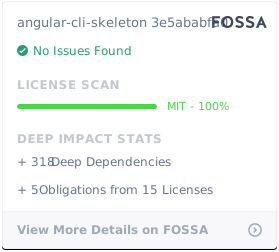
MIT License
Copyright (c) 2017-2019 Stefano Cappa
This license is valid to all my files in this repo
Permission is hereby granted, free of charge, to any person obtaining a copy of this software and associated documentation files (the "Software"), to deal in the Software without restriction, including without limitation the rights to use, copy, modify, merge, publish, distribute, sublicense, and/or sell copies of the Software, and to permit persons to whom the Software is furnished to do so, subject to the following conditions:
The above copyright notice and this permission notice shall be included in all copies or substantial portions of the Software.
THE SOFTWARE IS PROVIDED "AS IS", WITHOUT WARRANTY OF ANY KIND, EXPRESS OR IMPLIED, INCLUDING BUT NOT LIMITED TO THE WARRANTIES OF MERCHANTABILITY, FITNESS FOR A PARTICULAR PURPOSE AND NONINFRINGEMENT. IN NO EVENT SHALL THE AUTHORS OR COPYRIGHT HOLDERS BE LIABLE FOR ANY CLAIM, DAMAGES OR OTHER LIABILITY, WHETHER IN AN ACTION OF CONTRACT, TORT OR OTHERWISE, ARISING FROM, OUT OF OR IN CONNECTION WITH THE SOFTWARE OR THE USE OR OTHER DEALINGS IN THE SOFTWARE.
If you like my projects you can do a free donation here
Created by Stefano Cappa